How to Reduce Data Usage on Android
Mobile data is essential for many activities, including social media, streaming movies, accessing the internet, and using different online apps. But it’s crucial to understand that using your phone excessively might quickly use up your monthly data allotment, which could lead to overage fees or a slower internet connection. Learning how to reduce mobile data use on Android smartphones might be helpful for people who often run out of data before the end of the month. This strategy not only aids in adhering to the allocated data caps but also lowers the cost of cell service plans.How to Reduce Data Usage on Android
Users may significantly lower their mobile data use by implementing targeted changes to system settings and efficiently controlling application activity. This may entail restricting app updates via mobile networks, changing settings that regulate background data access, and selectively permitting data usage for only necessary apps. These actions enable consumers to more effectively monitor and manage their data usage, which eventually results in cost savings and the best possible use of mobile data plans.How to Reduce Data Usage on Android
Understand Which Apps Use the Most Data
Finding the apps that use the most data is the first step in reducing data use. On Android smartphones, the Network & Internet or Data Usage sections of the Settings menu provide users with comprehensive data use information.How to Reduce Data Usage on Android
Social media sites, streaming services, and other apps from the Google Play Store are found to be the main sources of data utilisation on mobile devices when it comes to controlling data consumption. Users may optimise data use by identifying the particular apps that consume the most data and putting methods in place to reduce their background activities.How to Reduce Data Usage on Android
Enable Data Saver Mode
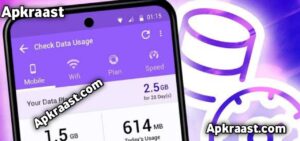
The purpose of Android’s built-in Data Saver feature is to reduce background data use. This feature ensures that mobile data is only utilised when the user is actively interacting with certain applications by preventing them from using it in the background. Users who want to better manage their data plan will especially benefit from this, which helps to optimise overall data consumption and avoid excessive data costs.
You may activate the Data Saver function in the Settings under Network & Internet to save your monthly mobile data allotment. while enabled, this feature optimises data use by ensuring that the majority of programs only use mobile data while they are actively open.
Restrict Background Data for Specific Apps
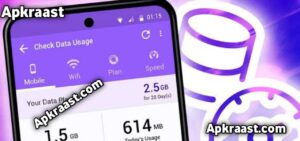
Even when the user is not actively using an application, it may continue to refresh its content in the background. Because it happens without the user’s express knowledge or agreement, this continuous background process may result in inadvertent data use. As a result, customers can discover that their data use exceeds their expectations because of these applications’ constant activity.
Go to the Settings menu and choose ‘Apps’ to efficiently control your device’s data use. Next, decide the particular program you want to restrict and then turn off its background data consumption. Applications like social media, retail, and news benefit greatly from this specific activity since they frequently change their material frequently, which might use a lot of mobile data.
Set a Data Usage Limit
Users of Android can set a monthly data warning or restriction. To avoid overages, the device can either automatically disable mobile data or warn the user when the specified data threshold is reached.
Go to your settings and select the Data Usage section to setup the function. You can efficiently manage your data usage and avoid unanticipated overages by establishing a consumption limit.
Use Wi-Fi Whenever Possible How to Reduce Data Usage on Android
One efficient way to reduce device data consumption is to connect to Wi-Fi rather than using mobile data. Users are urged to only use a safe Wi-Fi network when performing activities that normally need a significant amount of data, such downloading big files, streaming films, and updating apps. In addition to improving overall connectivity and speed during such activities, this technique can result in considerable savings on data plan expenses.
In the Google Play Store settings, you may turn off automatic app updates over mobile data so that updates only happen when you’re Wi-Fi connected.
Lower Streaming Quality How to Reduce Data Usage on Android

Streaming music and movies, especially in high definition, uses a lot of bandwidth. The majority of streaming apps allow users to adjust the playback quality in order to save data usage, allowing for a balance between data efficiency and video/audio fidelity. Users with slower internet connections or restricted data plans will especially benefit from this flexibility, which lets them view material without going over their usage restrictions.
While having no effect on the overall watching experience, moving from high definition (HD) to standard definition (SD) might result in a noticeable reduction in data use. Customers who use smaller screens, where the difference in picture quality between HD and SD is less noticeable, would especially benefit from this. Viewers may enjoy their video with less pressure on bandwidth and data limitations without significantly compromising visual quality thanks to this shift that prioritises data efficiency.
Disable Auto-Sync for Unnecessary Accounts
A function called auto-sync makes sure that your contacts, email, and other accounts are updated continuously in real time, which improves productivity and offers ease. It is crucial to remember that although auto-syncing has these advantages, it also necessitates frequent mobile data usage, which might have an impact on data usage based on the amount and frequency of updates handled.
Controlling the sync settings in your phone’s Accounts section The key to managing data consumption is settings. For accounts that are not necessary, users can efficiently save their data by turning off auto-sync. This tactic is especially helpful for people who are worried about data use.
Download Content for Offline Use
Nowadays, a lot of programs allow users to download material for offline usage, which greatly improves usability in situations when internet connectivity could be spotty or nonexistent. This functionality is common in many different fields, especially in music apps that allow users to store songs and playlists, video streaming services that let users save movies or episodes for later viewing, and mapping apps that let users download maps for navigation without a continuous data connection. Offline modes guarantee that consumers may access their preferred material regardless of their internet condition, meeting the increasing need for flexibility and convenience in media consumption and location services.
Users may store data for offline access by downloading material while connected to Wi-Fi, so avoiding the use of mobile data during usage. By enabling users to access material without paying fees often connected with mobile data usage, this method improves data management and encourages the economical use of digital resources.
Keep Your Apps Updated
Updates for apps are intended to improve speed and optimise data use, which will make the Android system more effective. Users may reduce needless data use by making sure that the operating system and apps are updated on a regular basis. Furthermore, security features like Google Play Protect work better on upgraded devices, which helps stop dangerous apps from using large amounts of background data. Thus, keeping up with system upgrades and program versions not only enhances functionality but also strengthens security measures.
Final Thoughts
There is no need for complicated tools or third-party apps to reduce data use on Android smartphones. Enabling the Data Saver function, which restricts background data consumption and makes sure that apps don’t use data while they’re not in use, is one of the key tactics. Users may further minimise data use by limiting background data for particular apps.
The quantity of data utilised during these activities can be greatly decreased by lowering the streaming quality for music and video services. Lastly, more effective data management is made possible by utilising Wi-Fi networks wherever possible, saving mobile data for when it is actually needed. Android users may efficiently and hassle-free manage their data by implementing these techniques.